When searching for software, system updates, hardware drivers, or online digital assets, users usually face two choices: downloading directly from an official source or clicking links shared by members on forums, social media groups, or community chat channels. While community-shared links occasionally offer temporary convenience, prioritizing a Direct Download from authenticated repositories consistently delivers superior reliability, safety, and stability. This article analyzes the technical reasons why Direct Download is the optimal choice and provides a step-by-step procedure to help you locate and verify official download sources accurately.
The Underlying Nature of Direct Download vs. Community File Link
To make safe downloading decisions, you must first understand the fundamental infrastructure differences between these two distribution methods:
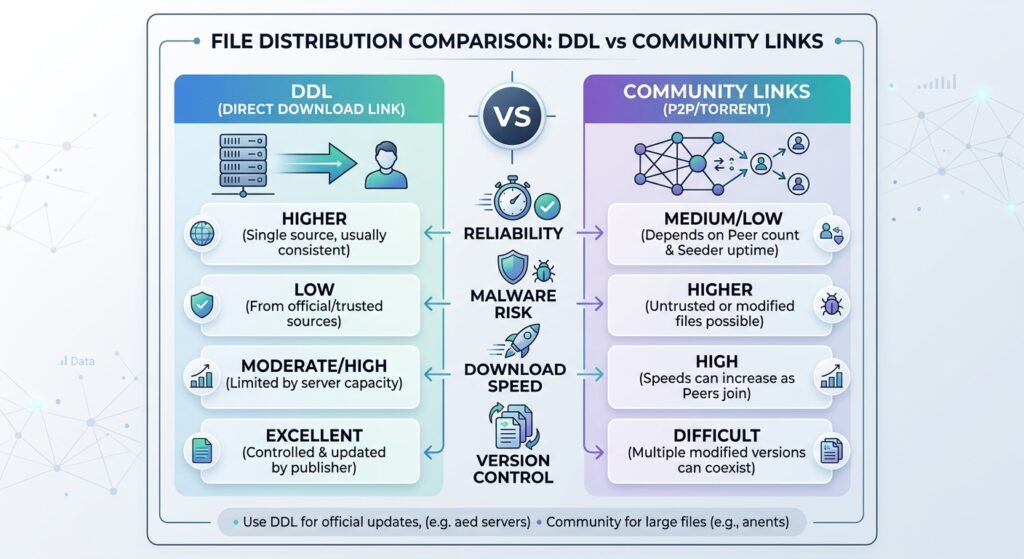
- Direct Download Link (DDL): A direct link pointing straight to a file stored on the server of the developer, hardware manufacturer, or official repository (such as GitHub Releases or official corporate CDN servers). Clicking a DDL initiates an immediate download through your browser without redirecting through intermediate pages or displaying promotional ads.
- Community File Link: A link generated when individual users upload files to third-party cloud storage services (such as Mega, Google Drive, MediaFire, or Rapidgator) or temporary attachments hosted on messaging application CDNs (such as Discord or Telegram) to share publicly. Downloading requires navigating the third-party platform interface, often encountering bandwidth throttling or risks associated with modified files.
5 Scenarios Where Direct Downloads Completely Outperform Community Links
Below are 5 technical scenarios demonstrating why Direct Download is consistently safer and more reliable than files shared by community members.
1. Malware Control and Tampered Payloads
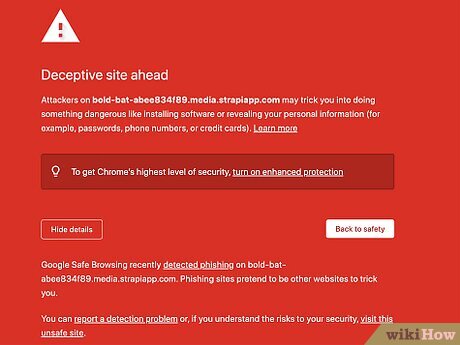
The single greatest risk of community-shared links is file integrity. An uploader can unintentionally—or intentionally—share a file embedded with malicious code, cryptocurrency miners, or keyloggers.
- Community links: Files have passed through an unverified intermediary. Malicious actors frequently compress malware inside password-protected
.zipor.rararchives to bypass automated virus scanning on cloud storage services. - Direct Download: Files are published directly from the developer’s official build pipeline. Executable files (
.exe,.msi) from legitimate vendors are digitally signed using reputable Code Signing Certificates, enabling operating systems like Windows or macOS to instantly authenticate the software publisher.
2. Eliminating “Link Rot” and Disabled Links
Link rot is a rampant issue across open community platforms:
- Bandwidth limits and copyright takedowns: Personal cloud storage accounts are frequently suspended when download traffic exceeds daily limits or when files trigger DMCA copyright takedown notices.
- Automated deletion policies: Platforms like Discord have implemented strict expiration policies on file attachment URLs (CDN attachment links), causing community links shared in chat histories to break after short periods.
- Official servers: Direct Downloads maintain long-term availability powered by enterprise CDN infrastructure, ensuring links remain active whenever you need them.
3. Precise Version Control and Patch Management
Running outdated software without the latest security patches is a leading cause of system vulnerabilities.
- Uninformative community links: Forum posts frequently link to outdated archived builds. Community uploaders rarely return to update old threads when a manufacturer releases new bug fixes.
- Always up-to-date Direct Downloads: Official download pages always serve the Latest Stable Release accompanied by changelogs, OS compatibility details, and system requirements.
4. Eliminating Risks From Malvertising and Ad-Redirects
Many community members attach monetization shorteners (Shortener links) to shared files.
- Fake “Download” button traps: Clicking community links often forces users through 3–4 intermediate ad pages displaying explicit ads, fake virus warnings, or deceptive flashing “Download” buttons designed to trick users into installing malicious browser extensions.
- 1-Click downloads: Direct Download delivers users straight to the target file without passing through commercial monetization layers, eliminating social engineering attack vectors entirely.
5. Data Integrity Verification via Checksums and Digital Signatures
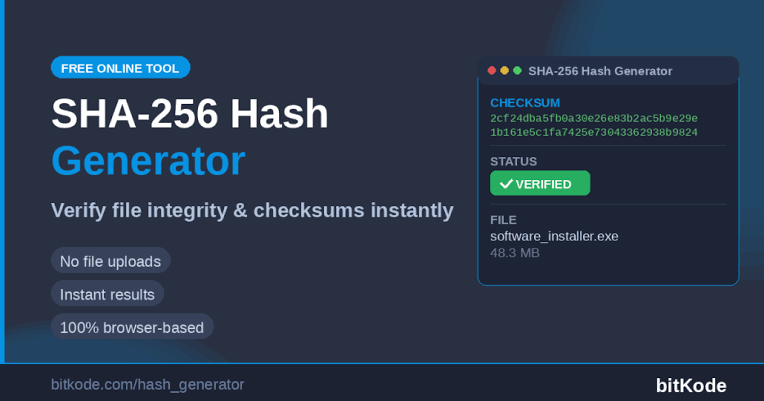
Professional developers routinely publish cryptographic hash values (SHA-256 or MD5) directly alongside Direct Download links.
- After downloading a file via DDL, you can calculate the file’s hash value on your computer and compare it against the published string on the official website. A 100% match guarantees that the file is authentic and suffered no corruption during transmission.
- Files shared across communities rarely include official verification hashes, leaving you unable to verify whether the downloaded payload has been modified or corrupted.
Process to Replace Community Links With Official Direct Downloads
If you encounter a useful file shared within a community but doubt the safety of the provided link, follow this 4-step procedure to locate the official Direct Download source:
- Step 1: Extract the exact file name and version number: Record the precise software name, version identifier (e.g.,
v2.4.1), or patch code mentioned in the community post. - Step 2: Search for the upstream repository: Use search engines or popular open-source platforms like GitHub, GitLab, SourceForge, or the official manufacturer Support/Drivers portal.
- Step 3: Locate the Releases / Downloads section: Navigate to the official “Releases” or “Downloads” tab. Verify the developer name, release date, and review the accompanying release notes.
- Step 4: Verify the file checksum: Download the file via the official DDL, open Command Line tools (Windows PowerShell or macOS Terminal) to compute the file’s SHA-256 code, and match it against the value listed on the official website.
When Should You Prioritize Direct Download?
In almost all scenarios, Direct Download should be your primary choice when downloading software, hardware drivers, system updates, or critical data files, as these payloads originate directly from developers and can be verified via digital signatures or cryptographic hashes (SHA-256/MD5). Conversely, Community File Links should only be considered when official download mirrors no longer exist or when searching for legacy, deprecated builds. Before downloading any file shared by a community member, always inspect the source, cross-reference the version against the official developer portal, and scan the file with antivirus software to minimize the risk of executing tampered or malicious files.
FAQ
1. What is a SHA-256 Hash code on a Direct Download page and how do I verify it?
A SHA-256 hash is a unique string representing the underlying data structure of a file. To verify it on Windows, open PowerShell and type Get-FileHash -Algorithm SHA256 "file_path". If the output string matches the published code on the official Direct Download page, your file is 100% authentic and untampered.
2. Why do many community posts use shortened ad links instead of direct links?
Community uploaders often use link shorteners or third-party cloud hosts for two main reasons: earning ad revenue from link clicks (via platforms like Adf.ly or Linkvertise) or hosting archived/customized versions that the original developer has removed from official portals.
3. Are links to Google Drive or Mega hosted by community members considered Direct Downloads?
No. Although Google Drive and Mega rely on large-scale infrastructure, files stored on these platforms are uploaded and managed by individual user accounts. These files can easily be altered relative to the original source, meaning they do not qualify as official Direct Downloads.
4. How can I tell if an executable file (.exe) from a community link has been tampered with?
Right-click the .exe file, select Properties, and open the Digital Signatures tab. On legitimate software, this tab displays a valid corporate signature. If this tab is missing or displays an untrusted certificate warning, the file has likely been altered or repackaged by an unauthorized third party.